If you are a live streamer or content creator using an ATEM Mini Pro, you’ve probably tried connecting your smartphone to use as ahigh-quality webcam. You might evenwant to use "beauty camera" apps like WUTA to smooth out your skinduring a live broadcas
this what you want!
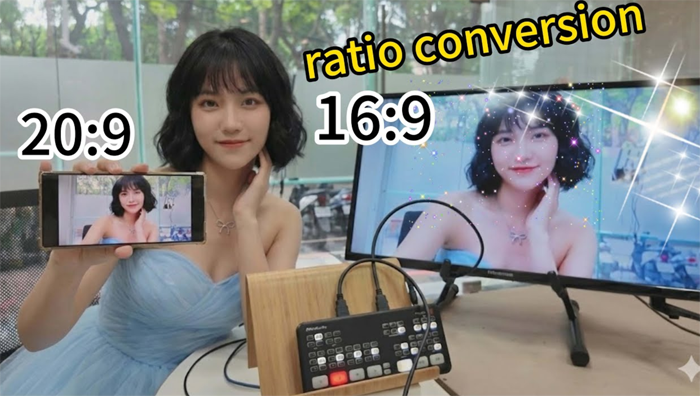
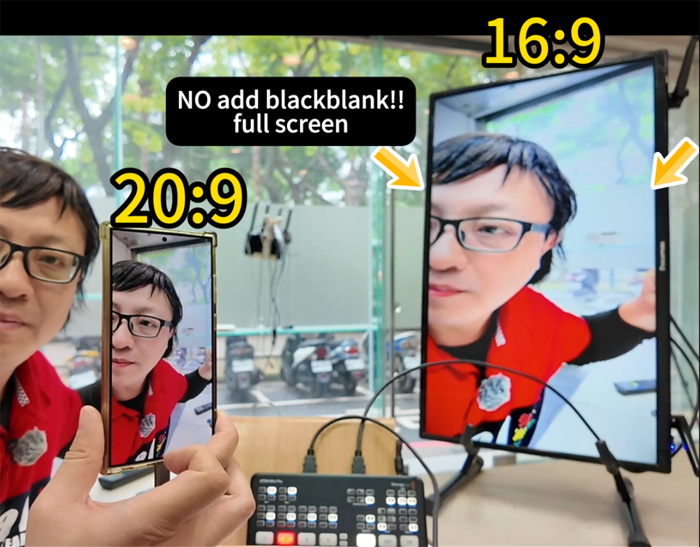
However,there is a common, frustrating problem: The Black Borders.
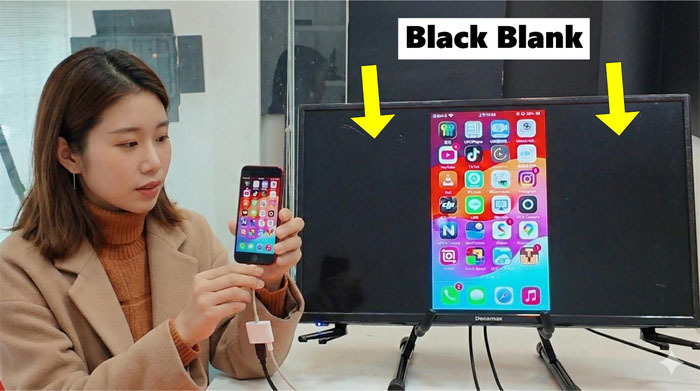
1. If you use apple lightning to av adapter.. it just show video on center .
2. IF you use FEBON smartphone vertical mode mirror adapre, it can show full screen.
but... it can not modify the 20:9 or 3:4 original video source.
The Problem: Aspect Ratio Mismatch
it will show as below
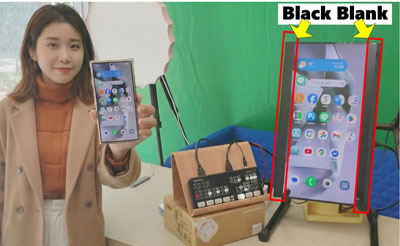
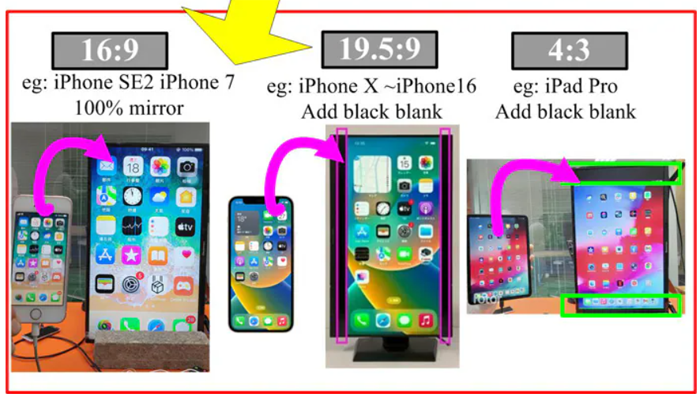
Because most modern smartphones (like newer iPhone and Android) have an aspect ratio of 20:9 or 21:9, and your TV or livestream output is a standard 16:9, the image doesn't fit perfectly. You end up with annoying black bars on the top, bottom, or sides.
this ruins the immersion of a professional livestream. But there is a hardware fix.
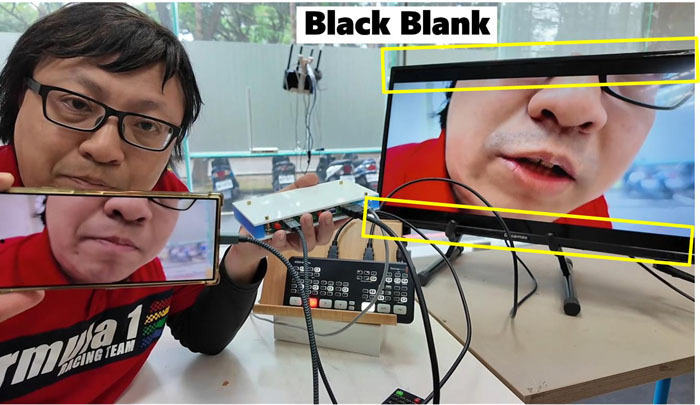
If a slight black border is acceptable, you may use your smartphone as a camera; however, the image will not fully fill the frame.
android (20:9)
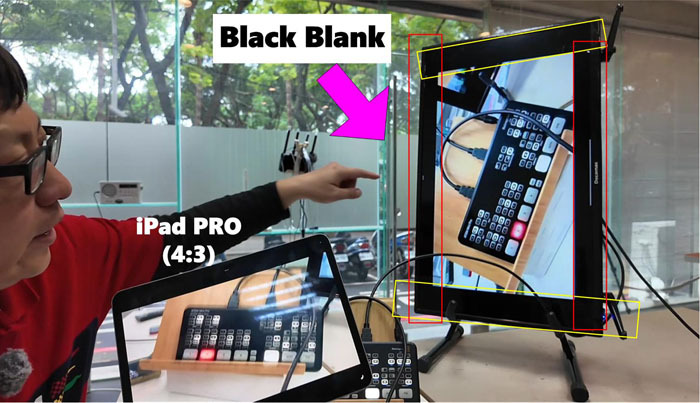
iPad pro (4:3)
The Solution: The Solution: FEOBN smartphone vertical mode with digital zoom adapter
Previously, this was an unsolvable issue. But today, I’m sharing asolution: a new Smartphone Vertical Mode Mirror Adapter with Digital Zoom.
The new adapter acts as a bridge between your phone and the ATEM Mini Pro. Its"killer feature" is a digital zoom button (often a red toggle)that automatically crops the image to fill the screen.
Hereis why this device is a game-changer for streamers:
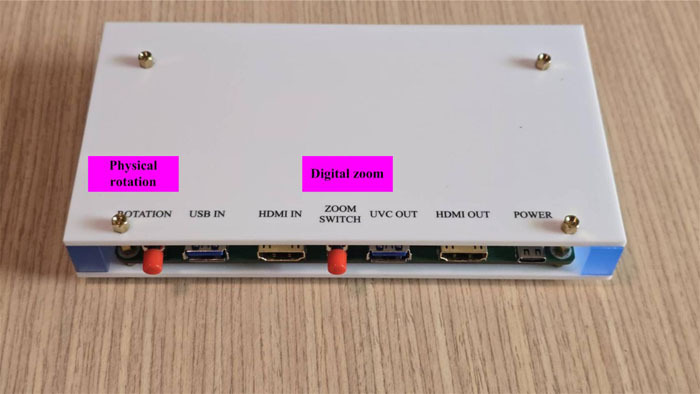
Whether you are using a modern Android (20:9), aniPhone SE2 (standard 16:9), or even an iPad (4:3), this adapter adjusts.
· For 20:9 Phones: Itzooms and crops the upper and lower edges to fill the 16:9 screen completely
· For iPads (4:3): Itautomatically switches to full screen, removing the massive black space youusually see.
· Smart Toggles: You cantoggle between modes to ensure the aspect ratio looks natural (avoiding the"fat" or squashed look).
when you touch "digital zoom "icon, it will have two mode.
Crop mode (this product can solve)
video be cropped, with normal font proportions
Fill mode (this product can solve)
VIDEO is not cropped, but the font proportions are incorrect.
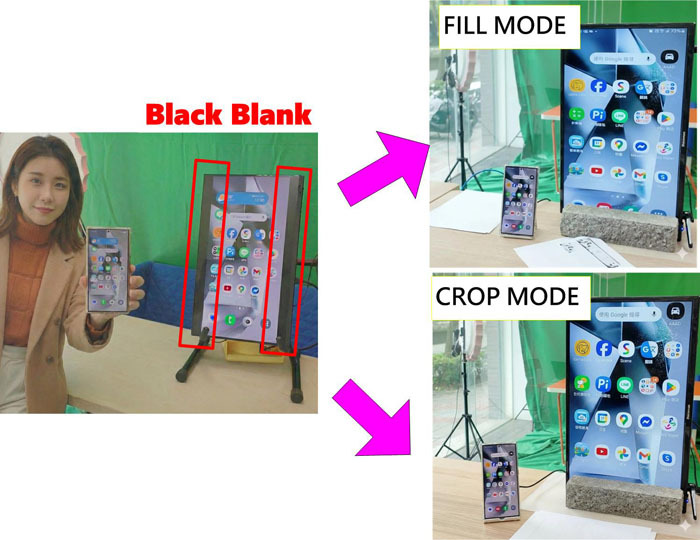
when smartphone / ipad as camera, it will show full screen onto 16:9 TV or atem mini pro video switcher
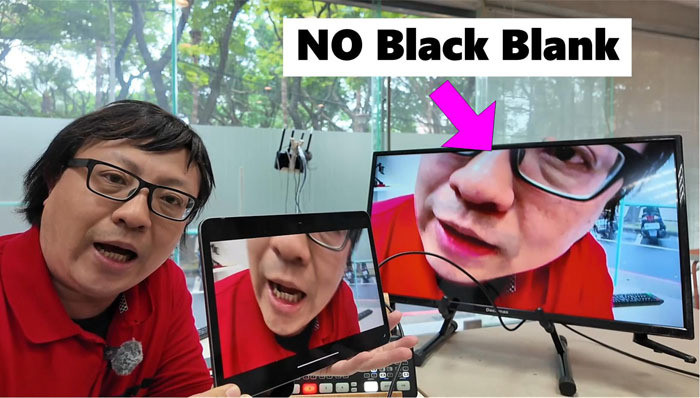
Many creators want to use apps like WUTA Camerato apply real-time filters. These apps often look best in specific orientations.With this adapter, you can run the app on your phone,connect it to the ATEM Mini Pro, and output a clean, full-screen signal withoutthe interface clutter or black bars.
This device offers flexibility in how you connect:
· Wired: Connect via USB(for Android) or Lightning cable (for iPhone) for a stable connection.
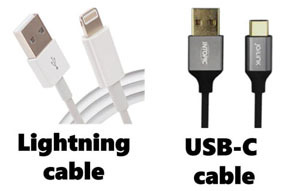
· wireless: It supports AirPlay and Android projection. You simply connect to the adapter's SSID(Password: 12345678) and mirror your screen wirelessly.
Howto Set It Up
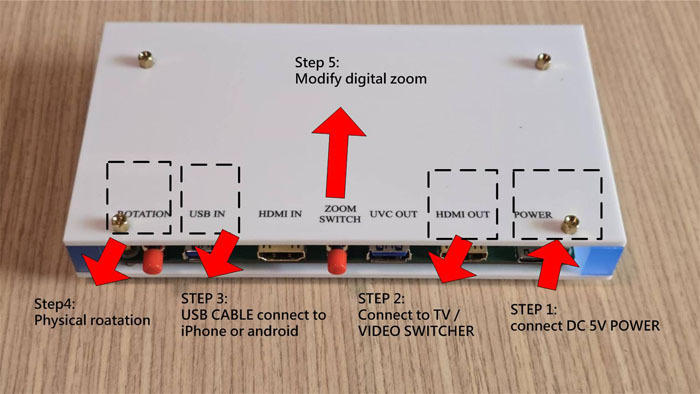
Here is a quick guide on how to getthat perfect full-screen shot:
step1: Power Up: Connect a 5Vpower supply to the adapter
step2: connect to tv monitor or atem mini pro
step3: connect to your smartphone with usb cable (lightning cable or usb-c cable)
step4: touch physical rotation
Usethe physical switch on the device to ensure the rotation is correct (landscapevs. vertical).
step5 touch digital zoom icon
If you see black borders (becauseyour phone is 20:9 or an iPad), press the Digital Zoom button.
step6: turn on camera app
eg: wuta , medialink live.
Open your beauty camera app. If the app interface rotates or looks upside down,simply press the toggle button again to loop through the display modes until itlooks right.
Conclusion
If youwant to use your phone as a professional camera source within a video workflow,you cannot ignore aspect ratios. This Digital ZoomMirror Adapter takes the headache out of the process. It bridges the gapbetween the ultra-wide screens of modern phones and the standard 16:9 world oflive streaming, letting you focus on creating content rather than fighting withblack bars.


